
Blog Build log
How I automated my own lead qualification with n8n and AI
Most small businesses I talk to don't have an AI problem. They have a copy-paste problem. So before I automate anyone else's intake, I wanted to automate mine.
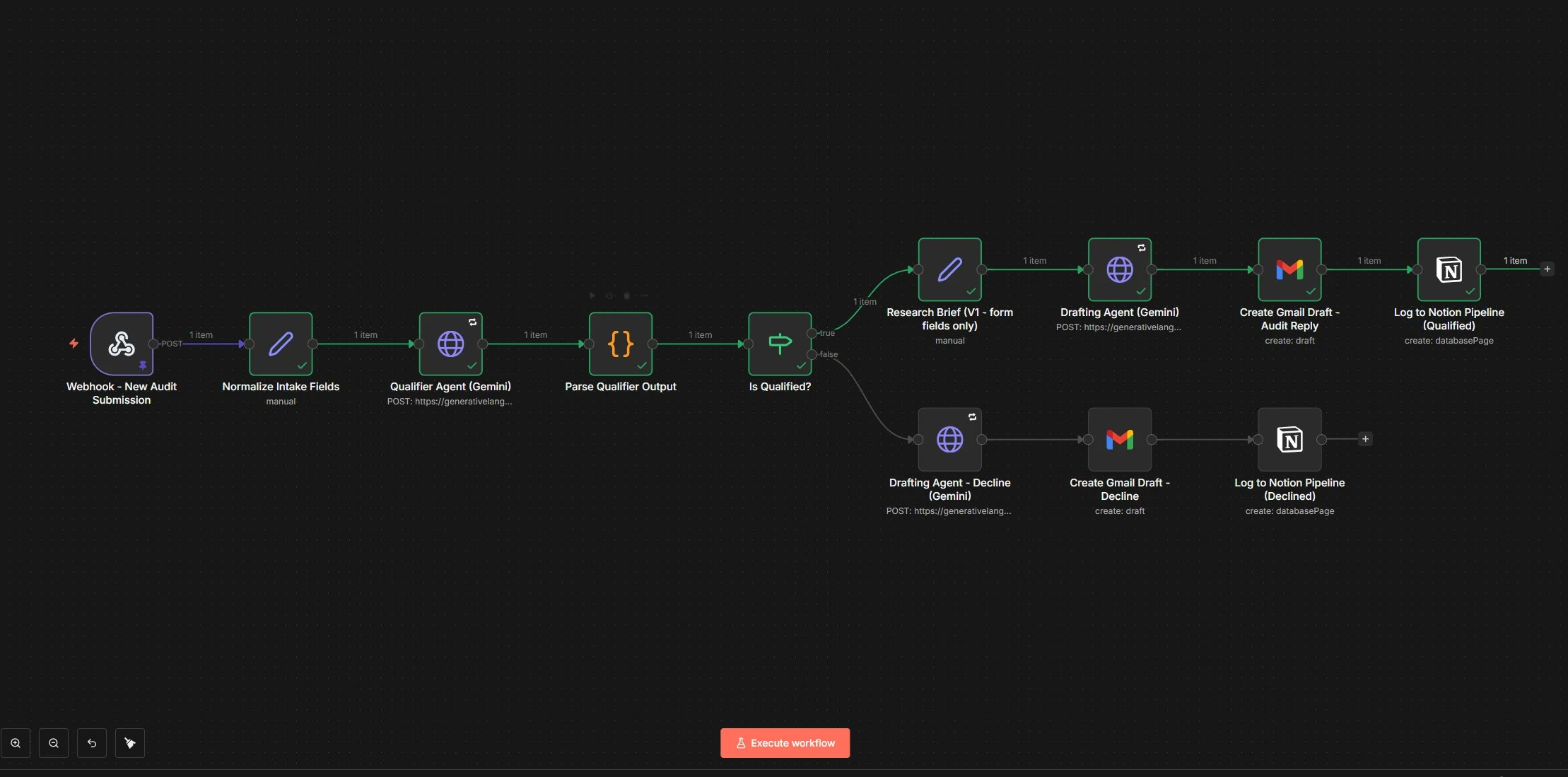
This post walks through my first official demo. It's a 12-node workflow in n8n that reads every workflow audit request I get, decides whether it's a real fit, drafts a reply, and logs the lead. It doesn't send a single email without me reading it first.
The problem I started with
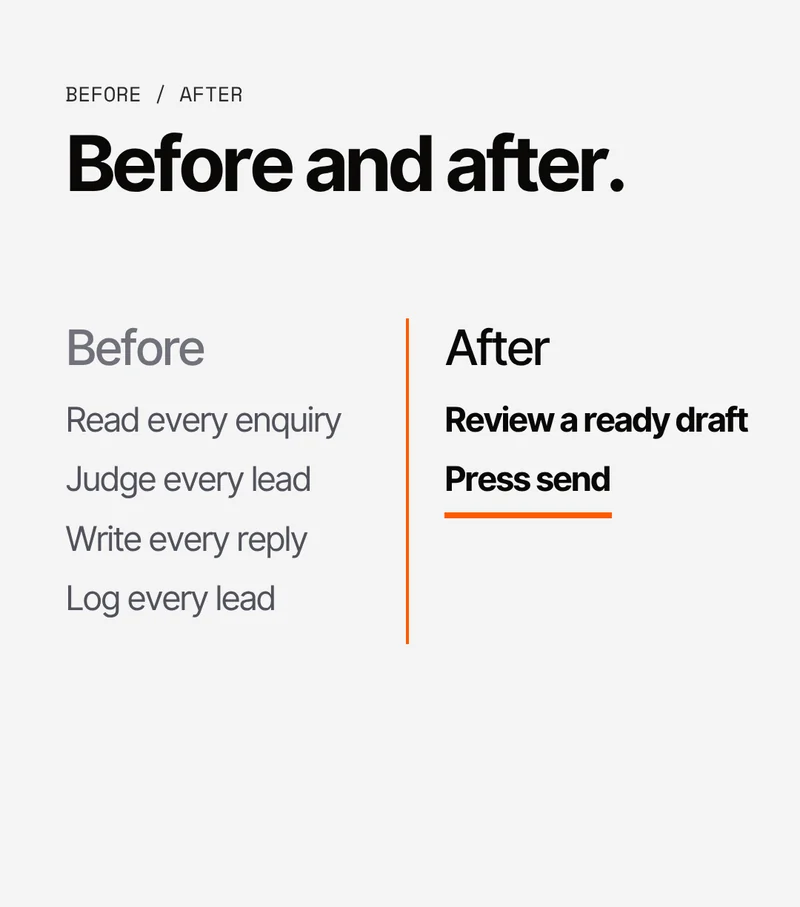
My lead qualification was completely manual. A request would come in and I'd read it, work out whether there was a real bottleneck behind it, and write a reply. A good fit got a proper written diagnosis. A poor fit got an honest decline. Then I'd log the lead in my pipeline by hand.
None of that is difficult. It's just repetitive, and every step depends on me remembering to do it. That's exactly the kind of work I tell clients to stop doing manually, so it made sense to start with my own.
How it works
- Webhook. The request arrives with the person's name, email, company website, company size, what they need, and the bottleneck in their own words.
- Clean up. The fields get tidied into one consistent format so every later step reads the same data.
- Qualifier agent. An AI model reads the request and answers in strict JSON with two things:
fit(true or false) andreasoning. If its answer can't be read properly, the workflow treats the lead as not a fit and leaves it for me to review, instead of drafting a reply from bad data. - Is it qualified? A plain yes/no branch. The agent makes the call and the routing just follows it.
- Fit. A drafting agent writes the audit reply in my format. It leaves out my booking link on purpose. I add that myself when I review the draft.
- Not a fit. A different agent writes a short, polite decline.
- Gmail. On both paths the reply is saved as a draft. Nothing is sent automatically.
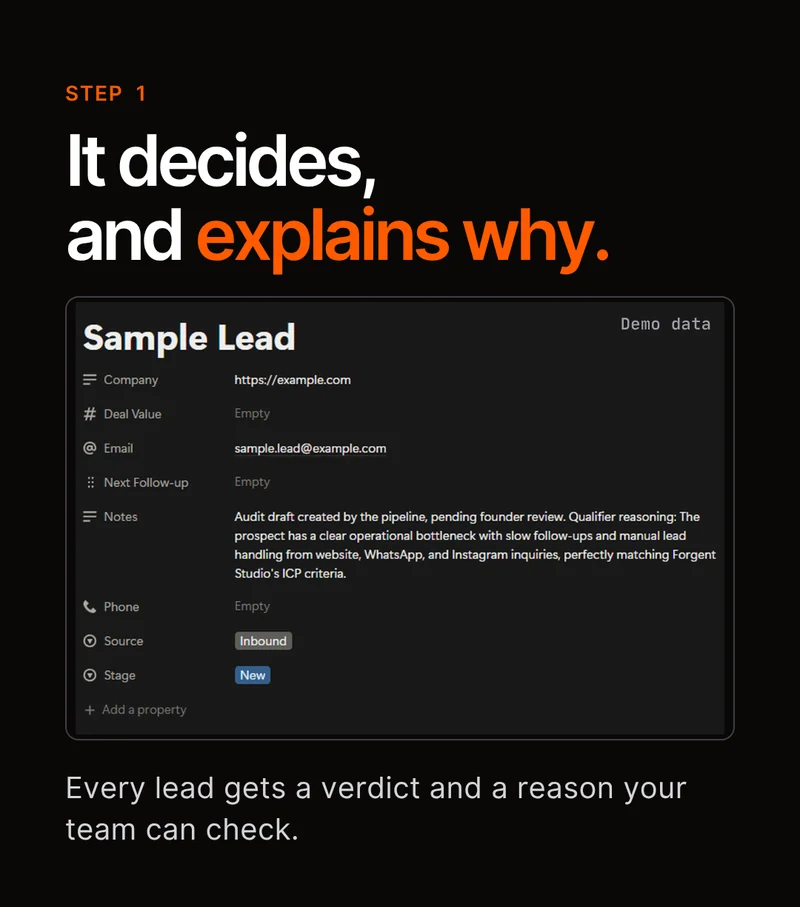
- Notion. The lead is added to my pipeline as New or Lost, with the qualifier's reasoning attached, so I can see later why it made that decision.
Why nothing is sent automatically
I don't want an AI emailing a real prospect before I've seen what it wrote. One bad reply to the wrong person costs more than the few minutes it takes me to check.
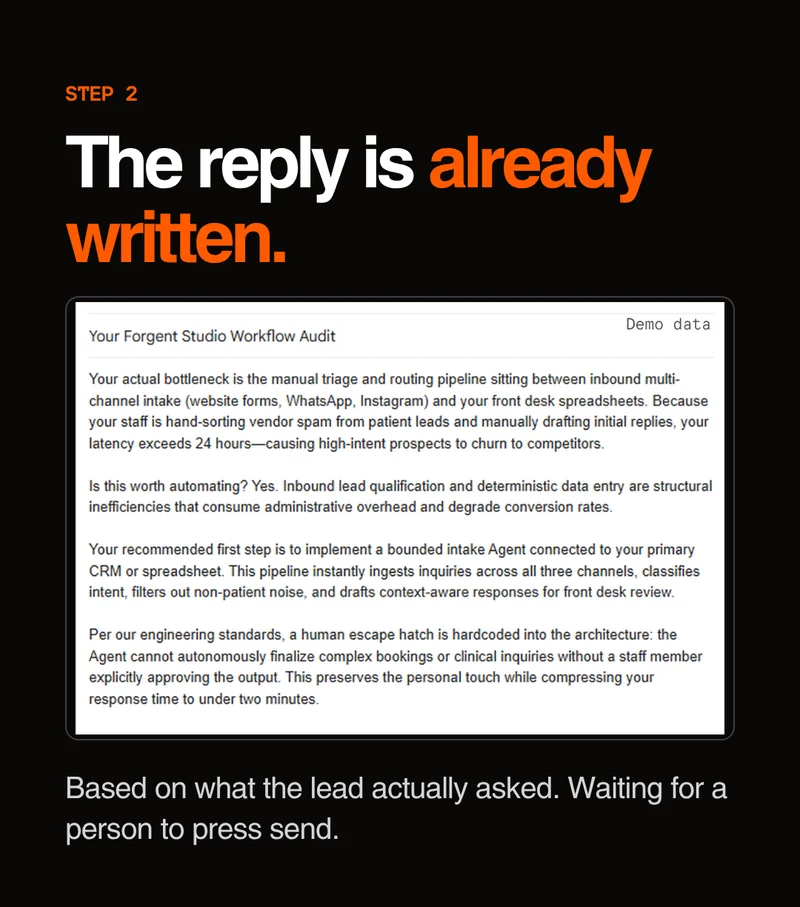
So every reply lands as a draft. I read it, fix anything that's off, add the booking link, and send it myself. The agents take care of the reading, the judging and the first draft, which is the slow part. I keep the part where a mistake would actually matter. I call this the human escape hatch, and every system I build for clients has one.
What went wrong along the way
Notion couldn't find my database. It kept returning a "database not found" error for a database that obviously existed. The integration had been connected, just not to that database. I created a fresh integration, shared it directly on the database, and it worked a few minutes later. The error pointed at the ID, but the real problem was access.
A test gave me the wrong result. I sent in a deliberately weak lead, someone "just curious about AI" with no real problem, and it came back qualified. The agent hadn't made a mistake. n8n was replaying old test data I had pinned during an earlier run, so the workflow never saw my new input. Once I fixed that, the decline path worked exactly as intended.
The limits weren't what I'd read. Part of why I chose my AI model was the usage limits I'd seen quoted in articles. When I actually ran it, the API told me something very different, and the model I had first planned to use had been retired for new users. I don't trust numbers from articles anymore until the API confirms them.
Setup friction. A credential I'd written as an expression silently didn't work. One authentication field had to be named exactly key. And some field mappings were lost when I imported the workflow. None of it was unusual, just the normal cost of building something real.
Two test runs
For the first, I used a five-person team that replies to every website enquiry by hand. It got qualified. The agent said they had a clear bottleneck with slow follow-up and repetitive work. An audit reply was drafted and the lead was logged as New.
For the second, I used someone who was just curious about AI with no real bottleneck. They were declined, with the reasoning "no real bottleneck, just exploring". A decline was drafted and the lead was logged as Lost.
Both drafts sat in Gmail, unsent, until I looked at them.
What's next
Right now the research step only reads what's in the form. The next version will also look at the person's website before drafting, so the audit can point at what their business actually does.
Where it came from
Before this I did a practice build: a WhatsApp appointment reminder with five steps, one channel and one rule. It worked and it showed me I could ship something. But a single reminder doesn't run a business. This pipeline is the first thing I've built that I'd trust with part of one, and I'm starting with mine.